> For the complete documentation index, see [llms.txt](https://docs.shimoku.com/dev/llms.txt). Markdown versions of documentation pages are available by appending `.md` to page URLs; this page is available as [Markdown](https://docs.shimoku.com/dev/cloud-and-community/shared-links.md).
# Shared links
Share and Embed your data insights
Shimoku provides the ability to [embed boards](https://www.shimoku.com/products/embedded-analytics) into existing Web applications. This powerful feature, referred to as Interactive Embedding (or Embedding, for short), allows you to provide personalized analytics to your customers, increasing the overall value of your product offering with minimal development effort.
{% hint style="warning" %}
Be aware that this feature allows anyone with internet access to view the content. We advise against posting sensitive or personal data using this functionality.
{% endhint %}
To be able to embed you must create a `board` with the public attribute set to true:
```bash
> shimoku cloud create board --public
```
You can assign any number of menu paths to your `board` when creating it:
```python
> shimoku cloud create board --public --group-menu-paths
```
In case you already have a board that contains the menu paths that you want you can update it to make it public:
```bash
> shimoku cloud update board --is-public true
```
And that's it!
Now, to access to the link through the Front End, you must click in the chain of your `board`:
A pop up will show with both a Public URL link and an HTML embed code:
### Further methods
```python
# Creates a board and return it's dictionary representation
s.boards.create_board(
name: str, order: Optional[int] = None,
is_public: bool = False, is_disabled: bool = False
) -> Dict
# Gets a board, if the board does not exit it returns None
s.boards.get_board(
uuid: Optional[str] = None, name: Optional[str] = None
) -> Optional[Dict]
# Deletes the specified board, if it exists
s.boards.delete_board(
uuid: Optional[str] = None, name: Optional[str] = None
)
# Updates the specified board fields, if it exists
s.boards.update_board(
uuid: Optional[str] = None, name: Optional[str] = None,
new_name: Optional[str] = None, order: Optional[int] = None,
is_public: Optional[bool] = None, is_disabled: Optional[bool] = None
)
# Adds a menu path to a specified board, this creates a link object
s.boards.add_menu_path_in_board(
menu_path_name: Optional[str] = None, menu_path_id: Optional[str] = None,
uuid: Optional[str] = None, name: Optional[str] = None
)
# Gets all the menu path ids for a specified board
s.boards.get_board_menu_path_ids(
uuid: Optional[str] = None, name: Optional[str] = None
) -> List[str]:
# Deletes the link between a given an menu path and a given a board
s.boards.remove_menu_path_from_board(
menu_path_name: Optional[str] = None, menu_path_id: Optional[str] = None,
uuid: Optional[str] = None, name: Optional[str] = None
)
# Gets all the workspace boards
s.workspaces.get_workspace_boards(
self, uuid: Optional[str] = None, name: Optional[str] = None
)
# Delete all workspace boards
s.workspaces.delete_all_workspace_boards(
self, uuid: Optional[str] = None, name: Optional[str] = None
)
```
---
# Agent Instructions
This documentation is published with GitBook. GitBook is the documentation platform designed so that both humans and AI agents can read, navigate, and reason over technical content effectively. Learn more at gitbook.com.
## Querying This Documentation
If you need additional information that is not directly available in this page, you can query the documentation dynamically by asking a question.
Perform an HTTP GET request on the current page URL with the `ask` query parameter, and the optional `goal` query parameter:
```
GET https://docs.shimoku.com/dev/cloud-and-community/shared-links.md?ask=&goal=
```
`ask` is the immediate question: it should be specific, self-contained, and written in natural language.
`goal` is optional and describes the broader end goal you are ultimately trying to accomplish on behalf of the user. GitBook uses it to tailor the answer towards what is most useful for that goal.
The response will contain a direct answer to the question and relevant excerpts and sources from the documentation.
Use this mechanism when the answer is not explicitly present in the current page, you need clarification or additional context, or you want to retrieve related documentation sections.
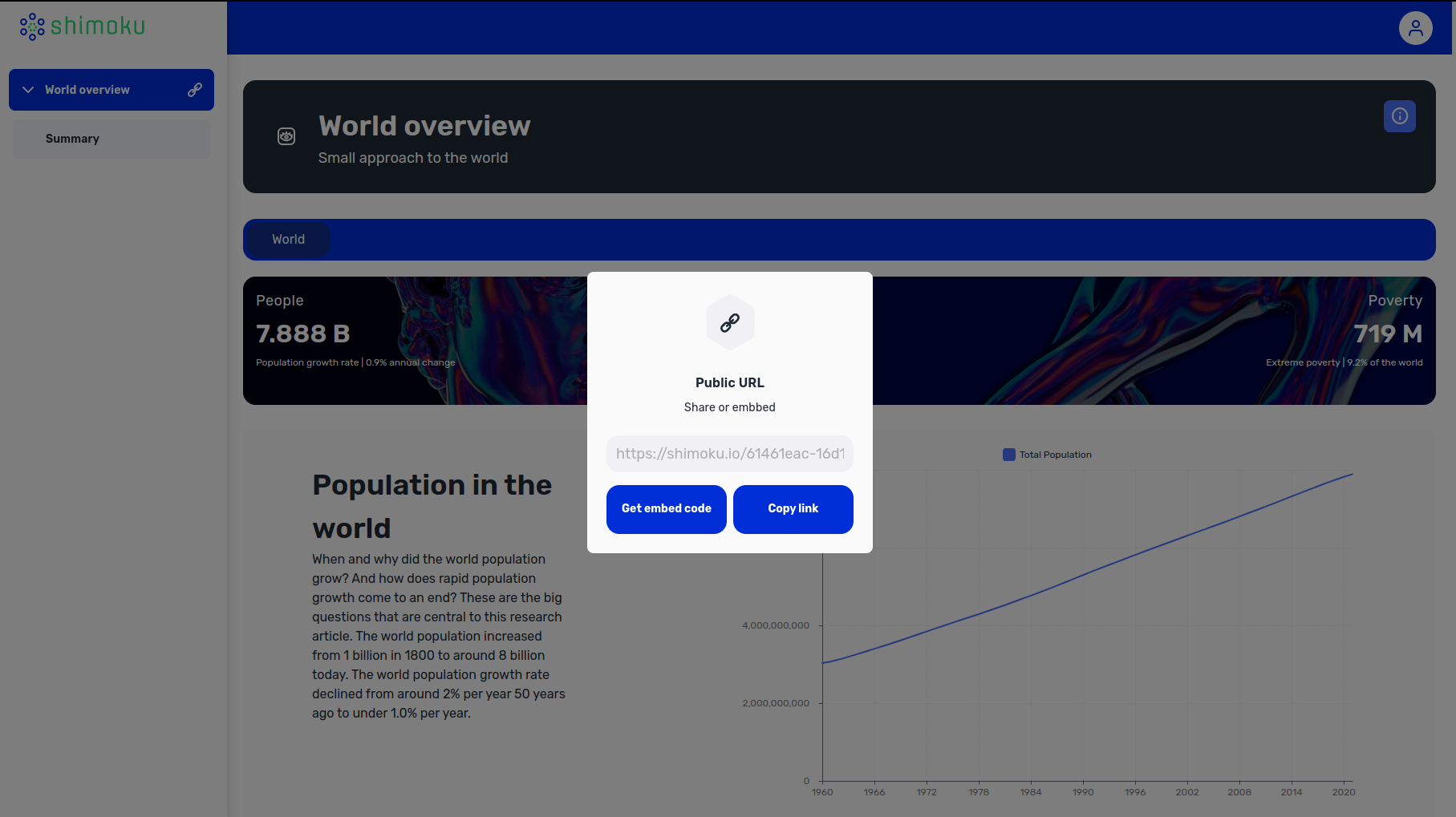
 A pop up will show with both a Public URL link and an HTML embed code: