# Stacked Horizontal Bar

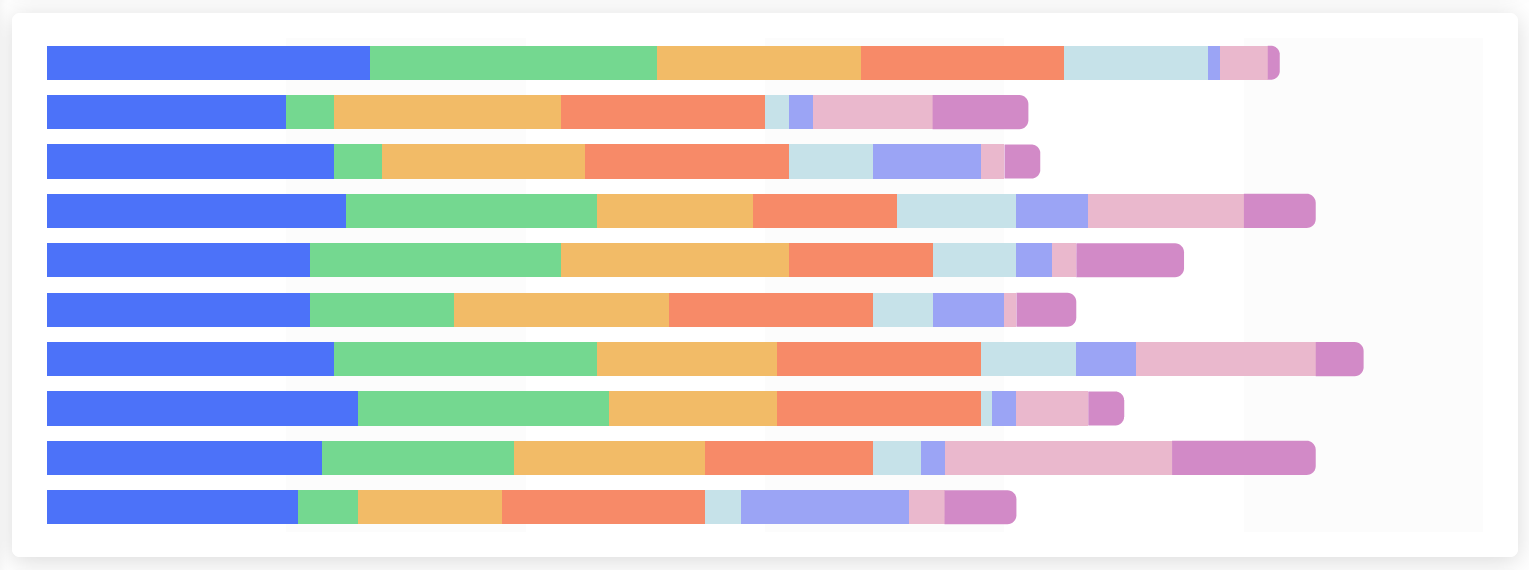
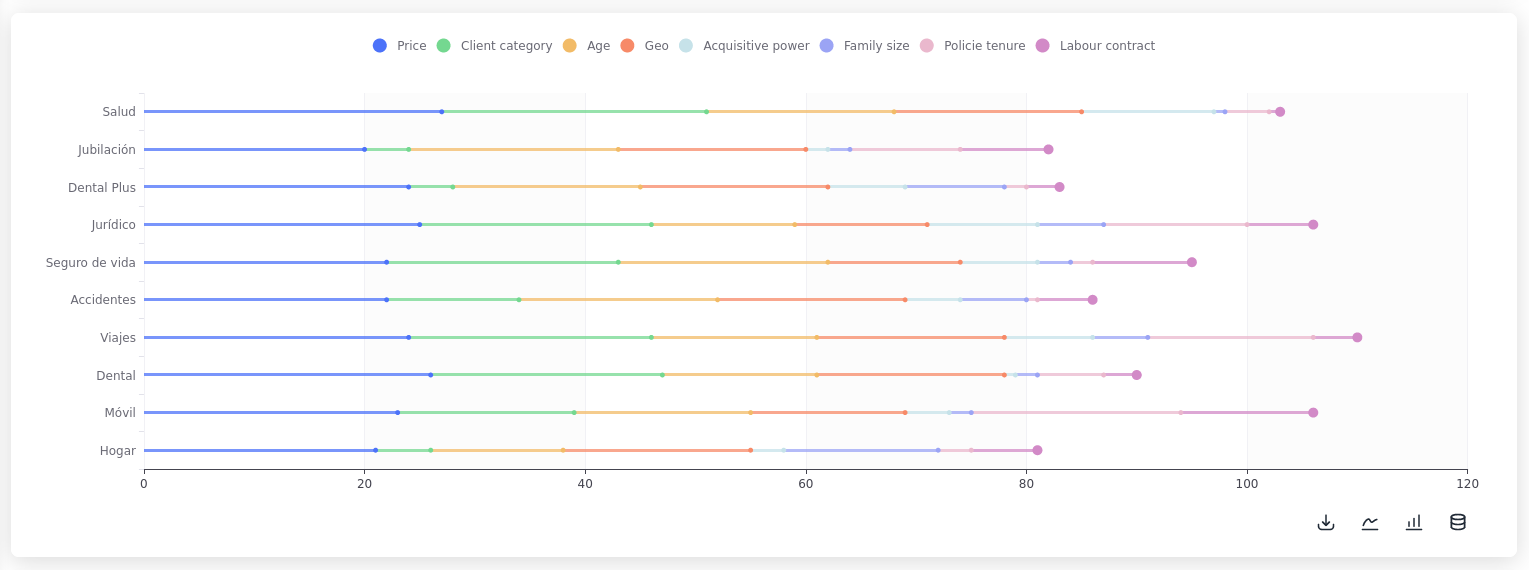
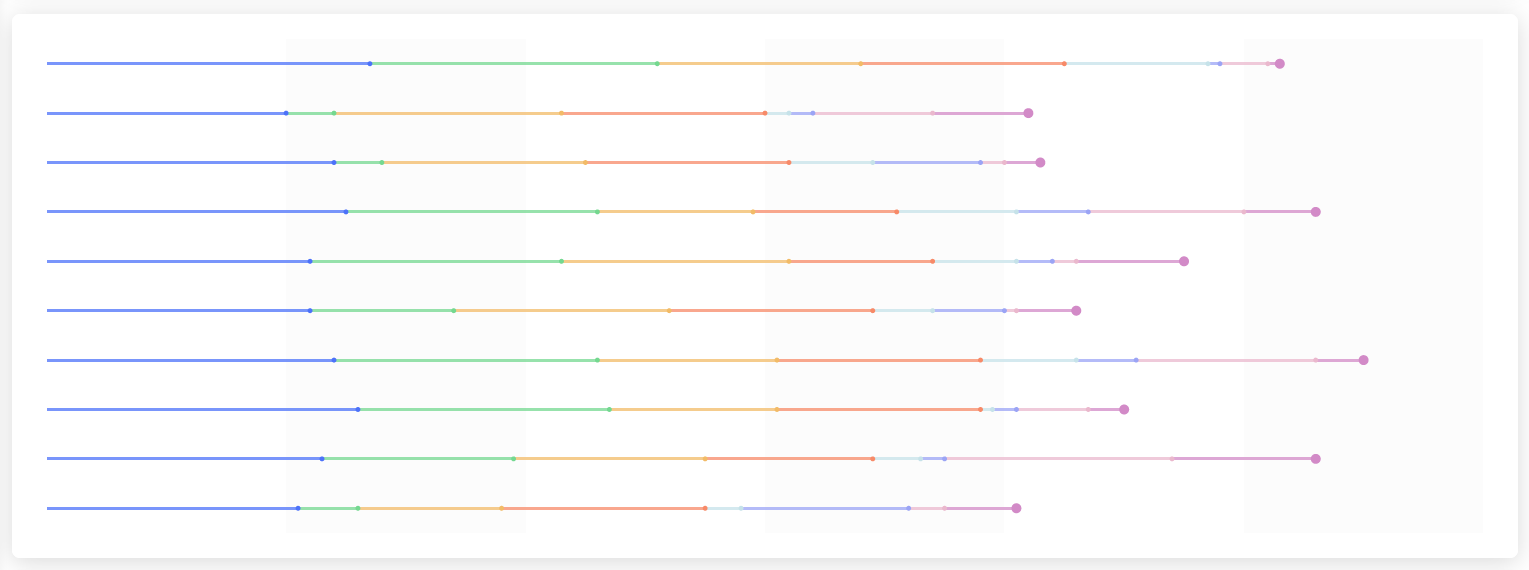
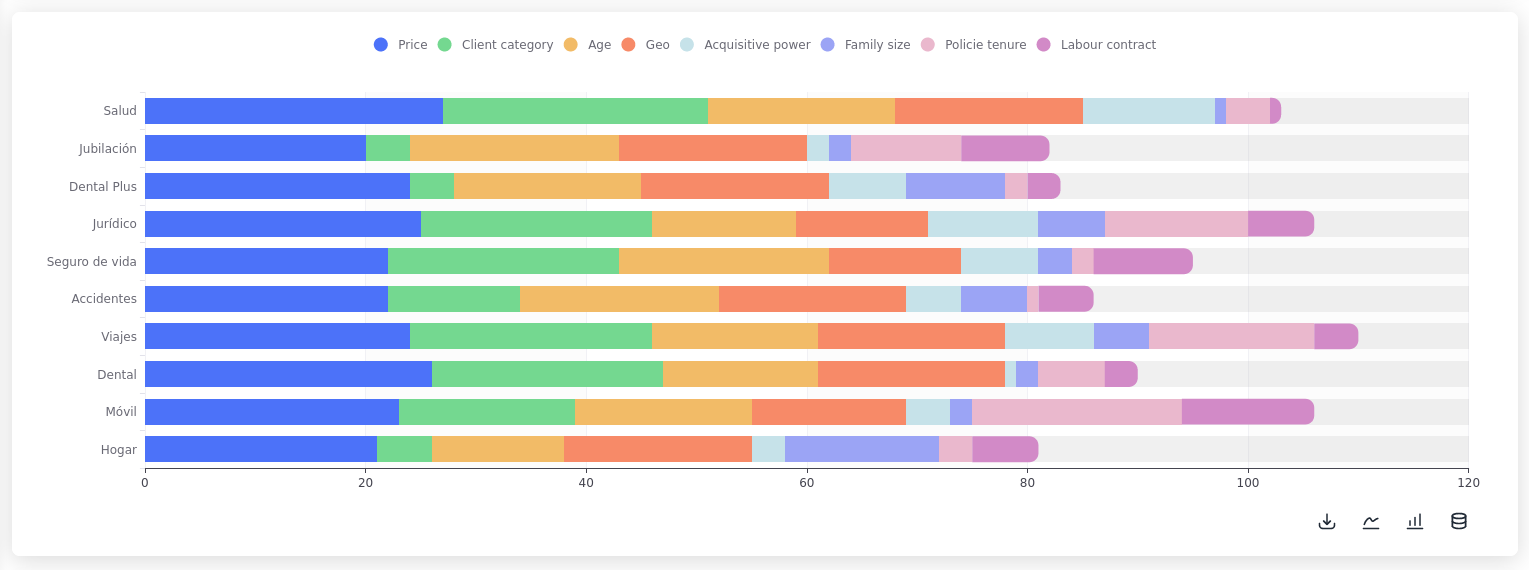
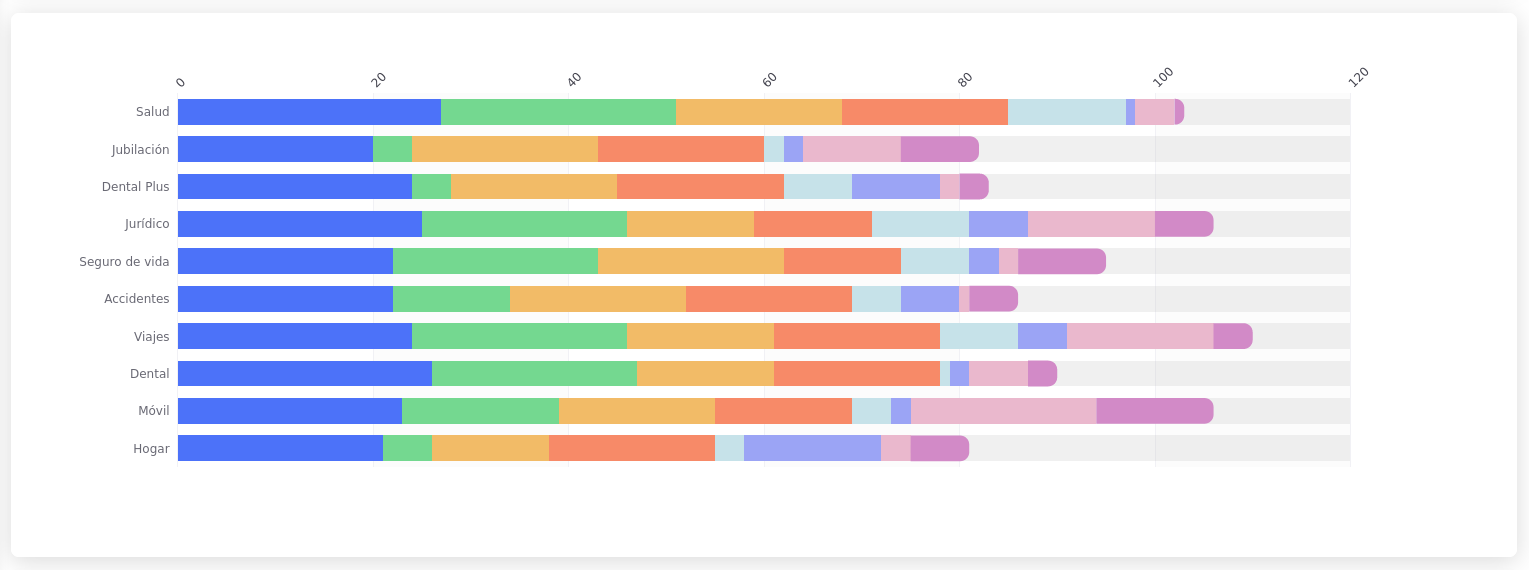
A **stacked horizontal bar chart** shows the composition of each category in a stacked bar, with each segment representing a sub-category. The bars are oriented horizontally so it's useful when there are lot's of labels or when the labels are very lengthy.

Using the same data as the stacked bar example:

```python
s.plt.stacked_horizontal_bar(
    data=pd.read_csv('file.csv'), x="Segment", order=0,
    x_axis_name='Distribution and weight of the Drivers',
)
```

<figure><img src="https://3782181538-files.gitbook.io/~/files/v0/b/gitbook-x-prod.appspot.com/o/spaces%2FUlHTfmIZY46Z1EDfyGMz%2Fuploads%2FEc2CSDaaI7RNM3BTjipr%2Fimatge.png?alt=media&#x26;token=4cec7046-2734-4777-88e6-3bf2cc4d7e80" alt=""><figcaption><p>Horizontal stacked bar</p></figcaption></figure>

## Variants

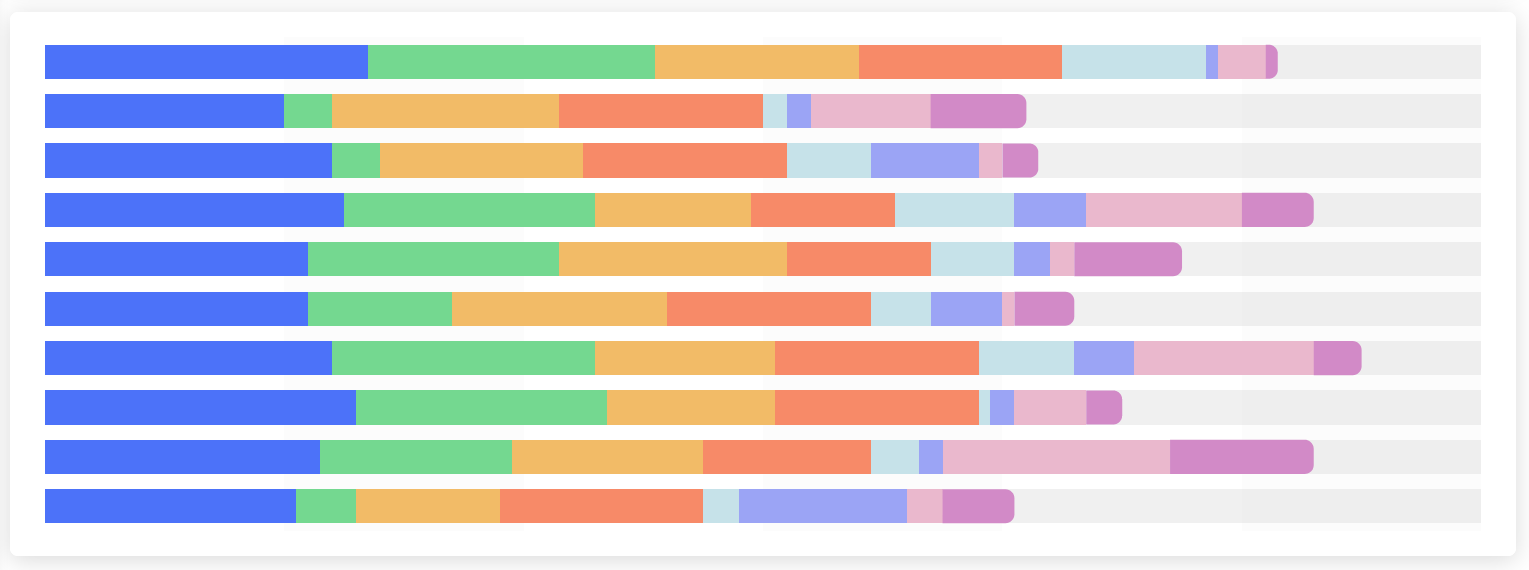
By setting the parameter `variant` to the following values the appearance of the chart can be changed:

{% tabs %}
{% tab title="Clean" %}

<figure><img src="https://3782181538-files.gitbook.io/~/files/v0/b/gitbook-x-prod.appspot.com/o/spaces%2FUlHTfmIZY46Z1EDfyGMz%2Fuploads%2Fo3ewSPrAkxtFWGEnpSO9%2Fimatge.png?alt=media&#x26;token=eb5ec6ed-8bdc-49f6-97ac-d9a62924841e" alt=""><figcaption><p>variant="clean"</p></figcaption></figure>
{% endtab %}

{% tab title="Minimal" %}

<figure><img src="https://3782181538-files.gitbook.io/~/files/v0/b/gitbook-x-prod.appspot.com/o/spaces%2FUlHTfmIZY46Z1EDfyGMz%2Fuploads%2FZNPWW1cNylOwAjawHNkL%2Fimatge.png?alt=media&#x26;token=15699bd5-7beb-4e37-bd3d-37845e39ce4f" alt=""><figcaption><p>variant="minimal"</p></figcaption></figure>
{% endtab %}

{% tab title="Thin" %}

<figure><img src="https://3782181538-files.gitbook.io/~/files/v0/b/gitbook-x-prod.appspot.com/o/spaces%2FUlHTfmIZY46Z1EDfyGMz%2Fuploads%2FdCfCcBk4yolWlDTg3FNv%2Fimatge.png?alt=media&#x26;token=8ed69be7-a5f0-469e-9378-6ef6f1b50f73" alt=""><figcaption><p>variant="thin"</p></figcaption></figure>
{% endtab %}

{% tab title="Clean Thin" %}

<figure><img src="https://3782181538-files.gitbook.io/~/files/v0/b/gitbook-x-prod.appspot.com/o/spaces%2FUlHTfmIZY46Z1EDfyGMz%2Fuploads%2FrAa6kbP2FQo9iI0bkIkU%2Fimatge.png?alt=media&#x26;token=766a8fbd-9e76-44e1-93ea-54f889cf5072" alt=""><figcaption><p>variant="clean thin"</p></figcaption></figure>
{% endtab %}

{% tab title="Minimal Thin" %}

<figure><img src="https://3782181538-files.gitbook.io/~/files/v0/b/gitbook-x-prod.appspot.com/o/spaces%2FUlHTfmIZY46Z1EDfyGMz%2Fuploads%2F9DIIWpd3n4PoMxr8A8h0%2Fimatge.png?alt=media&#x26;token=5b80a290-43f6-4700-8aa4-b218699bdfa5" alt=""><figcaption><p>variant="minimal thin"</p></figcaption></figure>
{% endtab %}

{% tab title="Shadow" %}

<figure><img src="https://3782181538-files.gitbook.io/~/files/v0/b/gitbook-x-prod.appspot.com/o/spaces%2FUlHTfmIZY46Z1EDfyGMz%2Fuploads%2FL0ICzQ9UojeSvlKGBmDN%2Fimatge.png?alt=media&#x26;token=16299481-9373-476c-a434-43297f7810a0" alt=""><figcaption><p>variant="shadow"</p></figcaption></figure>
{% endtab %}

{% tab title="Clean Shadow" %}

<figure><img src="https://3782181538-files.gitbook.io/~/files/v0/b/gitbook-x-prod.appspot.com/o/spaces%2FUlHTfmIZY46Z1EDfyGMz%2Fuploads%2Fo1ELqWWyAjDyhz1MpKKf%2Fimatge.png?alt=media&#x26;token=f9da4c25-37aa-46b0-beaa-d2fb31c1d376" alt=""><figcaption><p>variant="clean shadow"</p></figcaption></figure>
{% endtab %}

{% tab title="Minimal Shadow" %}

<figure><img src="https://3782181538-files.gitbook.io/~/files/v0/b/gitbook-x-prod.appspot.com/o/spaces%2FUlHTfmIZY46Z1EDfyGMz%2Fuploads%2FPceZtDEw0OAtBi0iD00n%2Fimatge.png?alt=media&#x26;token=52eaf684-e4f3-43e9-862e-b0ea65818157" alt=""><figcaption><p>variant="minimal shadow"</p></figcaption></figure>
{% endtab %}
{% endtabs %}

{% hint style="info" %}

### Featured Content

[changing-the-menu-path](https://docs.shimoku.com/dev/building-web-app/menu/changing-the-menu-path "mention")\
The `menu_path` can be modified.<br>

[using-the-grid](https://docs.shimoku.com/dev/building-web-app/grid/using-the-grid "mention")

It is possible to use any number of rows.
{% endhint %}